
Router and Switch Hardening for CCNA: Passwords, Banner and Ports
Before putting a device into production you must protect it: encrypted passwords, secure remote access, legal banners and unused ports and services shut down. It is the base of the CCNA device access control topic.
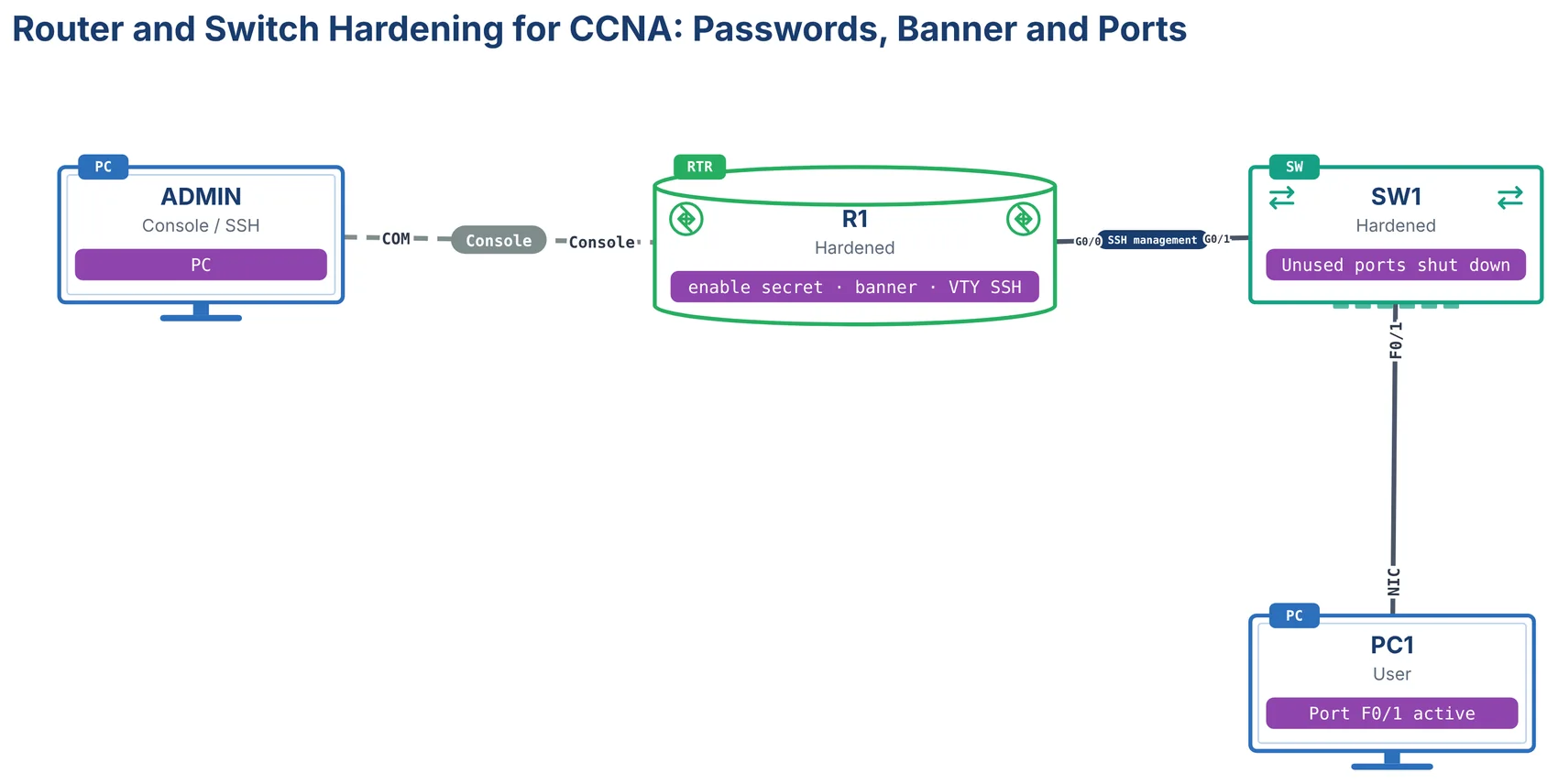
Edit this template Download .json
Learning objectives
- Protect privileged mode with enable secret and encrypt passwords.
- Secure console and VTY with login and an inactivity timeout.
- Shut down unused ports and move them to an unrouted VLAN.
Devices and addressing
| Device | Type | Details |
|---|---|---|
| ADMIN | PC / user | Console / SSH PC |
| R1 | Router | Hardened enable secret · banner · VTY SSH |
| SW1 | Switch | Hardened Unused ports shut down |
| PC1 | PC / user | User Port F0/1 active |
Reference configuration (Cisco IOS)
R1
hostname R1
enable secret Cl4ve-Enable!
service password-encryption
security passwords min-length 10
login block-for 120 attempts 3 within 60
banner motd # Acceso solo para personal autorizado #
line console 0
 password Cons0la-2026
 login
 exec-timeout 5 0
 logging synchronous
line vty 0 4
 login local
 transport input ssh
 exec-timeout 5 0
no ip http server
SW1
interface range f0/2 - 24
 switchport access vlan 999
 shutdown
vlan 999
 name PUERTOS-SIN-USO
Verification commands
show running-config | include secretshow loginshow ip sshshow interfaces status
CCNA exam tips
enable secret uses a strong hash; enable password stays clear or with weak type 7 encryption.
service password-encryption only obscures passwords with type 7: it does not replace secret.
How to use this template
Press “Edit this template”: the editor opens with the topology loaded and ready to change (undo with Ctrl+Z). You can also copy the JSON and paste it into the editor with File ▸ Import JSON…. Then add devices, change IPs and export to PDF, PNG or SVG.
To practice, rebuild the topology in Cisco Packet Tracer, GNS3 or Cisco Modeling Labs and paste the reference configuration on each device. Addresses and names are examples: change them to create your own variants.
JSON template for the editor
This is the full diagram in JSON format. Paste it into the editor (File ▸ Import JSON…) or press the edit button to load it automatically.
Frequently asked questions
Which is better, enable secret or enable password?
enable secret, because it stores a strong hash; enable password is reversible.
Why shut down unused ports?
To stop someone plugging an unauthorized device into a free port.