
Configuration Backup with TFTP for CCNA: copy running-config
Backing up configuration is a basic operations task. With TFTP or FTP you save the running-config and the IOS image to a server and restore them after a device replacement. The CCNA lists TFTP and FTP among transfer services.
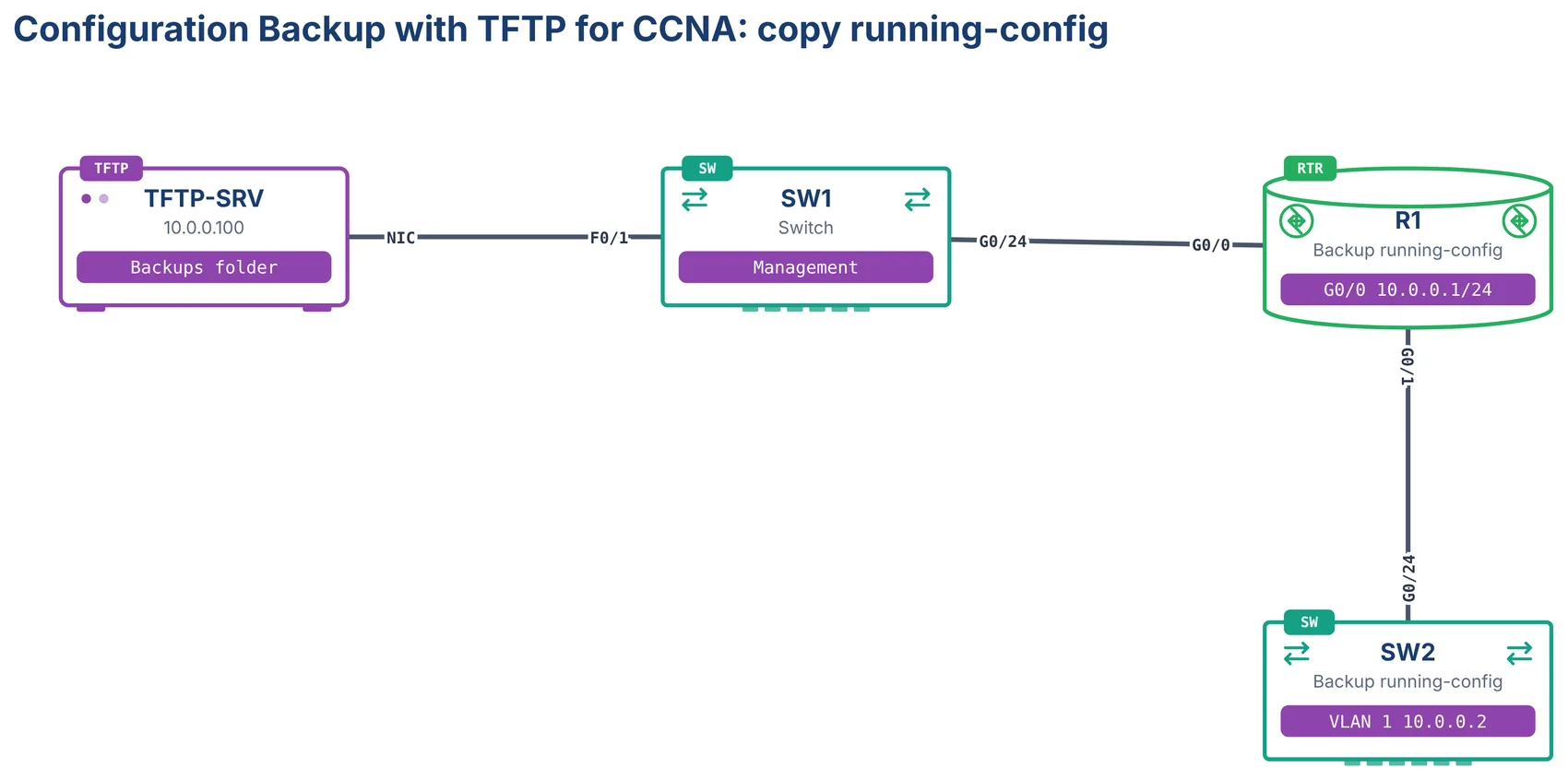
Edit this template Download .json
Learning objectives
- Copy the active configuration to a TFTP server.
- Restore a configuration from the server.
- Tell TFTP (UDP 69, no authentication) apart from FTP (TCP 21, with user).
Devices and addressing
| Device | Type | Details |
|---|---|---|
| TFTP-SRV | TFTP | 10.0.0.100 Backups folder |
| SW1 | Switch | Switch Management |
| R1 | Router | Backup running-config G0/0 10.0.0.1/24 |
| SW2 | Switch | Backup running-config VLAN 1 10.0.0.2 |
Reference configuration (Cisco IOS)
R1
copy running-config tftp:
 Address or name of remote host []? 10.0.0.100
 Destination filename [r1-confg]? r1-backup.cfg
copy tftp: running-config
 Address or name of remote host []? 10.0.0.100
 Source filename []? r1-backup.cfg
copy flash: tftp:
copy startup-config tftp:
Verification commands
show flash:show running-configdirping 10.0.0.100
CCNA exam tips
copy running-config tftp: saves; copy tftp: running-config merges into the active configuration, it does not replace it.
TFTP neither authenticates nor encrypts: use it only on management networks.
How to use this template
Press “Edit this template”: the editor opens with the topology loaded and ready to change (undo with Ctrl+Z). You can also copy the JSON and paste it into the editor with File ▸ Import JSON…. Then add devices, change IPs and export to PDF, PNG or SVG.
To practice, rebuild the topology in Cisco Packet Tracer, GNS3 or Cisco Modeling Labs and paste the reference configuration on each device. Addresses and names are examples: change them to create your own variants.
JSON template for the editor
This is the full diagram in JSON format. Paste it into the editor (File ▸ Import JSON…) or press the edit button to load it automatically.
Frequently asked questions
What is the difference between TFTP and FTP?
TFTP is simple, over UDP 69 and without authentication; FTP uses TCP 21 and credentials.
Why back up the startup-config?
To restore the device quickly after a failure or replacement.