
DHCP Server on a Router for CCNA: Pool, Exclusions and DNS
DHCP automatically hands out IP, mask, gateway and DNS to hosts. A Cisco router can act as a DHCP server with one pool per network. It is one of the simplest and most tested IP Services configurations.
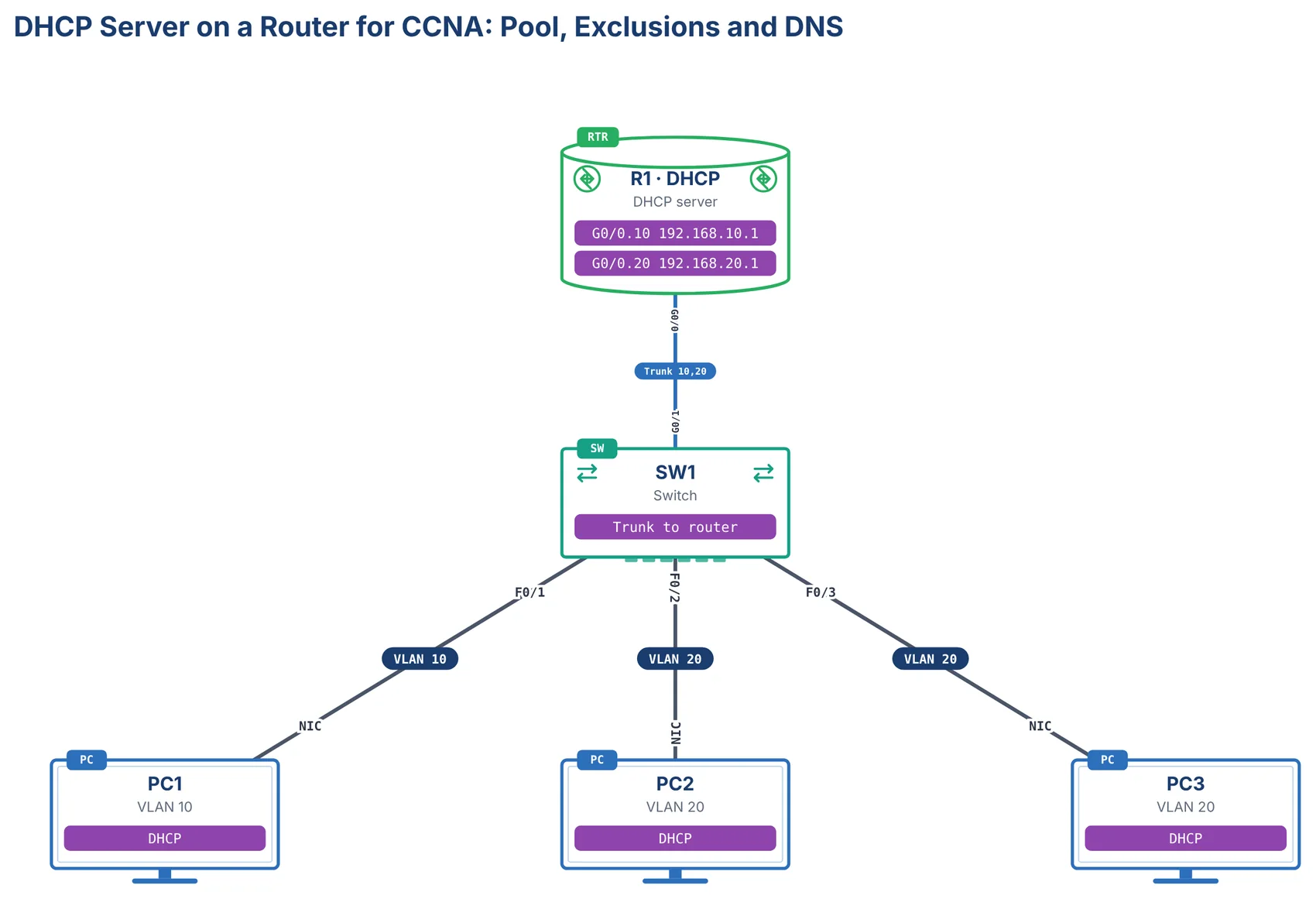
Edit this template Download .json
Learning objectives
- Create a DHCP pool with network, gateway and DNS.
- Exclude static addresses with ip dhcp excluded-address.
- Verify leases with show ip dhcp binding.
Devices and addressing
| Device | Type | Details |
|---|---|---|
| R1 · DHCP | Router | DHCP server G0/0.10 192.168.10.1 G0/0.20 192.168.20.1 |
| SW1 | Switch | Switch Trunk to router |
| PC1 | PC / user | VLAN 10 DHCP |
| PC2 | PC / user | VLAN 20 DHCP |
| PC3 | PC / user | VLAN 20 DHCP |
Reference configuration (Cisco IOS)
R1
ip dhcp excluded-address 192.168.10.1 192.168.10.20
ip dhcp excluded-address 192.168.20.1 192.168.20.20
ip dhcp pool VLAN10
 network 192.168.10.0 255.255.255.0
 default-router 192.168.10.1
 dns-server 8.8.8.8 1.1.1.1
 lease 7
ip dhcp pool VLAN20
 network 192.168.20.0 255.255.255.0
 default-router 192.168.20.1
 dns-server 8.8.8.8 1.1.1.1
Verification commands
show ip dhcp poolshow ip dhcp bindingshow ip dhcp conflictipconfig /renew (en el PC)
CCNA exam tips
DORA process: Discover, Offer, Request, Acknowledge.
If a client gets no IP it falls back to an APIPA 169.254.x.x address.
How to use this template
Press “Edit this template”: the editor opens with the topology loaded and ready to change (undo with Ctrl+Z). You can also copy the JSON and paste it into the editor with File ▸ Import JSON…. Then add devices, change IPs and export to PDF, PNG or SVG.
To practice, rebuild the topology in Cisco Packet Tracer, GNS3 or Cisco Modeling Labs and paste the reference configuration on each device. Addresses and names are examples: change them to create your own variants.
JSON template for the editor
This is the full diagram in JSON format. Paste it into the editor (File ▸ Import JSON…) or press the edit button to load it automatically.
Frequently asked questions
What does DORA mean?
Discover, Offer, Request and Acknowledge: the four messages of the DHCP process.
What if I need DHCP in several VLANs?
Create a pool per VLAN or use DHCP relay toward a central server.