
SSH Remote Access for CCNA: Replace Telnet with RSA Keys
Telnet sends everything in clear text, passwords included. SSH encrypts the session and is the remote access method to use. The lab configures SSH on a router and a switch and restricts access to the management network.
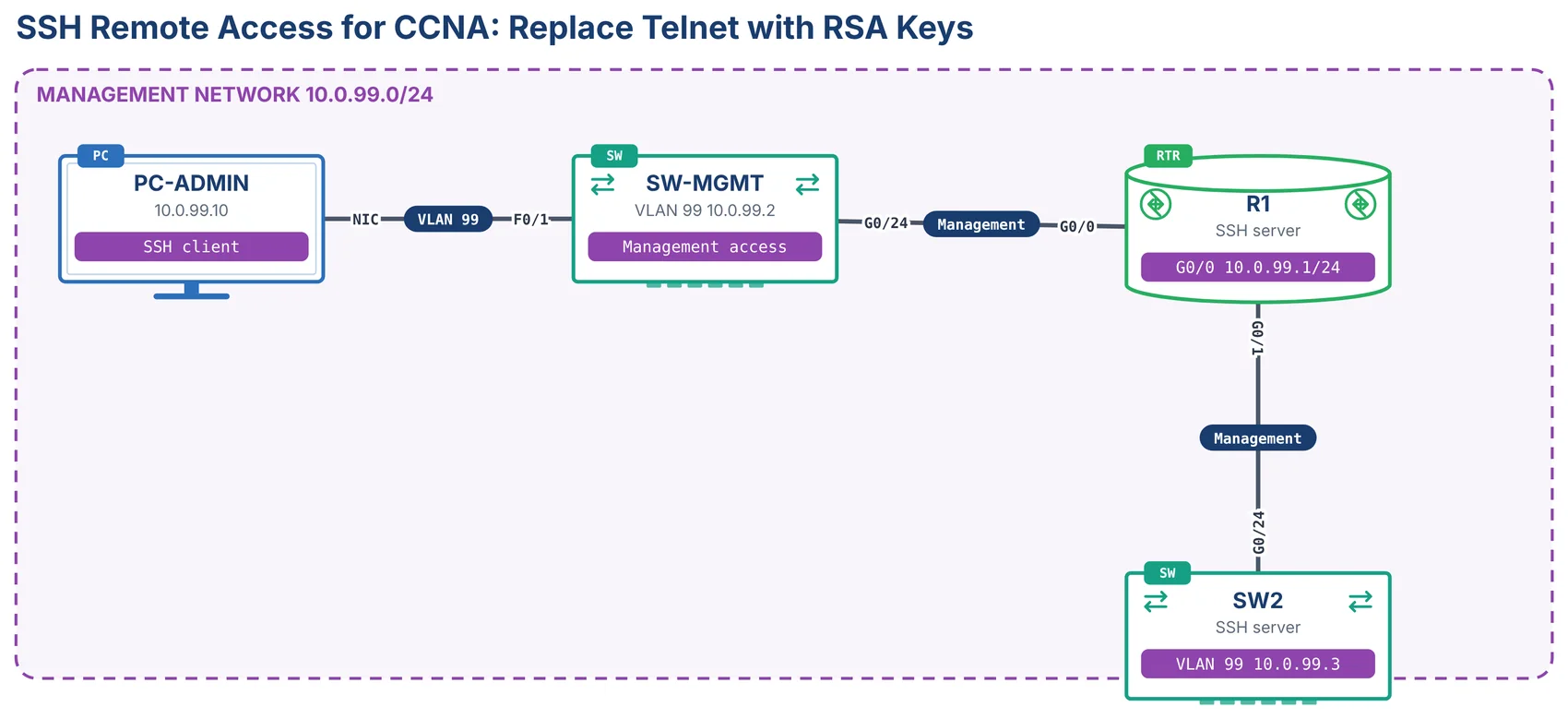
Edit this template Download .json
Learning objectives
- Configure hostname, domain and RSA keys of at least 2048 bits.
- Create local users and limit VTY lines to SSH with local login.
- Restrict access with an ACL on the VTY line.
Devices and addressing
| Device | Type | Details |
|---|---|---|
| PC-ADMIN | PC | 10.0.99.10 SSH client |
| SW-MGMT | Switch | VLAN 99 10.0.99.2 Management access |
| R1 | Router | SSH server G0/0 10.0.99.1/24 |
| SW2 | Switch | SSH server VLAN 99 10.0.99.3 |
Reference configuration (Cisco IOS)
R1
hostname R1
ip domain-name ejemplo.local
crypto key generate rsa modulus 2048
ip ssh version 2
username admin privilege 15 secret Cl4ve-Segura!
access-list 99 permit 10.0.99.0 0.0.0.255
line vty 0 4
 login local
 transport input ssh
 access-class 99 in
 exec-timeout 5 0
Verification commands
show ip sshshow sshshow running-config | section line vtyssh -l admin 10.0.99.1
CCNA exam tips
To generate RSA keys you need hostname and ip domain-name.
transport input ssh blocks Telnet on the VTY lines.
How to use this template
Press “Edit this template”: the editor opens with the topology loaded and ready to change (undo with Ctrl+Z). You can also copy the JSON and paste it into the editor with File ▸ Import JSON…. Then add devices, change IPs and export to PDF, PNG or SVG.
To practice, rebuild the topology in Cisco Packet Tracer, GNS3 or Cisco Modeling Labs and paste the reference configuration on each device. Addresses and names are examples: change them to create your own variants.
JSON template for the editor
This is the full diagram in JSON format. Paste it into the editor (File ▸ Import JSON…) or press the edit button to load it automatically.
Frequently asked questions
Why SSH instead of Telnet?
SSH encrypts the session; Telnet sends username and password in clear text.
Which port does SSH use?
TCP 22.